
Activating Activities Kit for Workflow Platform 2013
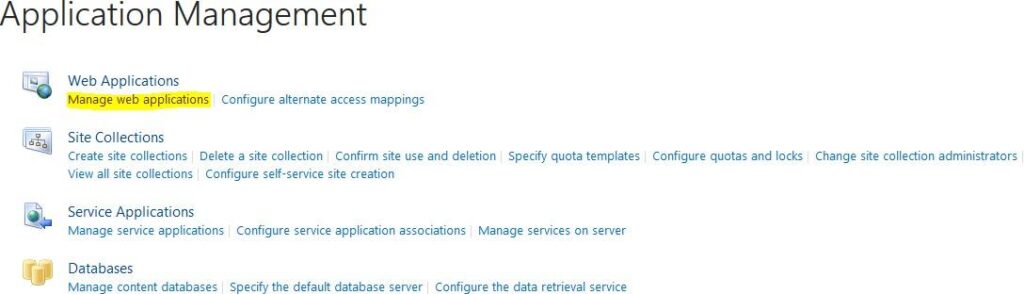
When the installation process is complete, go to “Application Management” –> “Manage web applications”
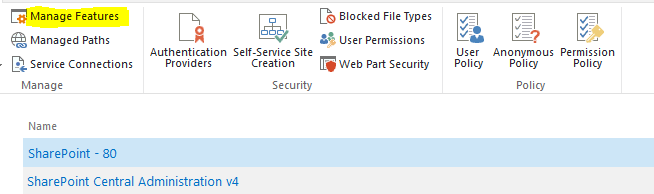
Select desired web application (usually it’s Sharepoint - 80 or Sharepoint - 443) and press “Manage
Features” button.
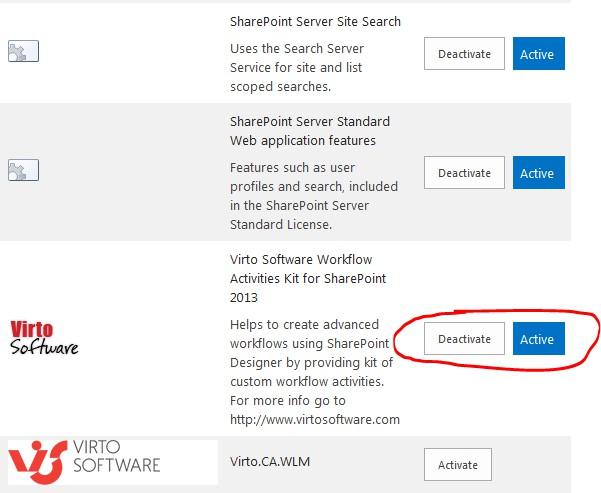
And activate the feature.
If you have a non-English installation of SharePoint, you may have to copy to copy VirtoWorkflow.ACTIONS from [SP HiVE]\TEMPLATE\1033\Workflow to [SP HiVE]\TEMPLATE"YOUR LCID"\Workflow.