
SMS Adjustment
If you select SMS, you have to fill out the following fields:
SMS Server Host- enter SMS server host (for example, smsserver.com);
SMS Server Port– enter SMS server port (2000 on the sample picture);
From Contact Number– enter the phone number which will be displayed as a number from which the SMS was sent.
Address Rangeis defined by SMS provider.
System ID and System Password– information of user registered by provider.
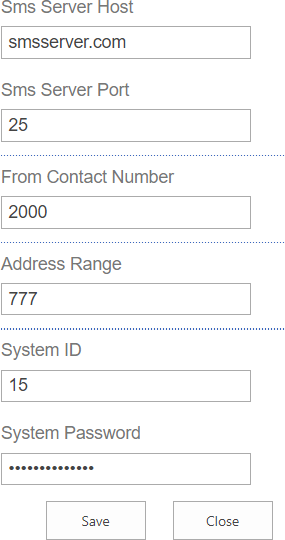
Click “OK” to save the settings of SMS communication.
**Note:**SharePoint Server needs Internet connection for sending SMS Alerts. Local connection is not enough for successful operation.