
Message options
You may include links, pictures, or tables into the alert e-mail.

You can create tables in your alert and define the value of table border and columns width. Choose the count of columns and rows in your table.
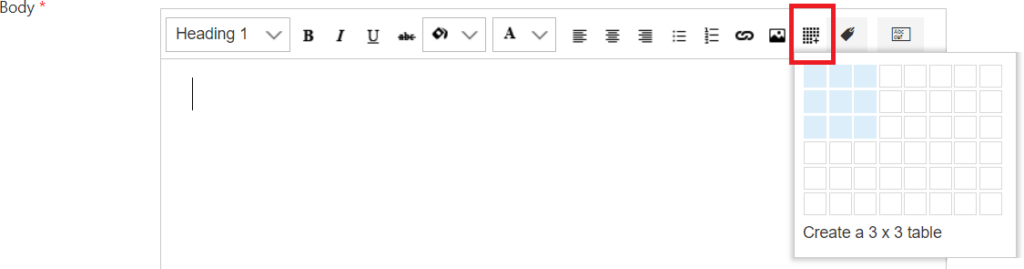
Then define values for columns width and border in pixels.

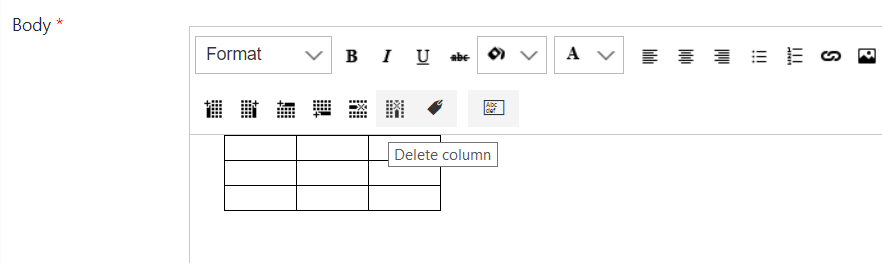
Now, you have a table in your alert message. You can add or delete columns and rows with additional buttons.
**Note:**if your alert has an item from lookup, the item will contain link to view form of this item. For example, if your alert has a “client” lookup field, you receive in alert this field with link to client’s card view form from lookup.