
Offline Virto ONE License activation
First, click Offline activation.
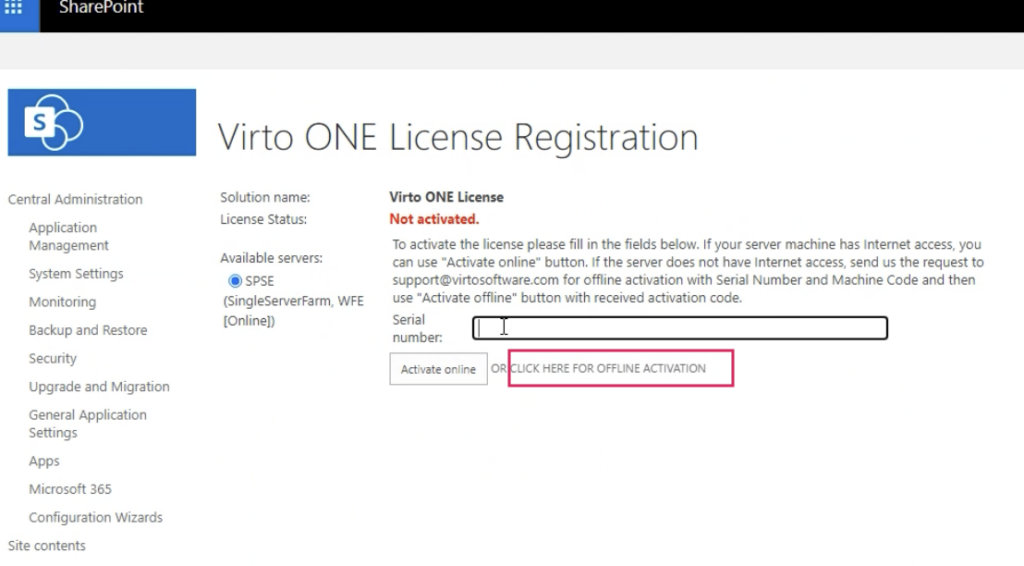
Then email our technical support team with your serial number and machine code to receive your activation code and subscription key.
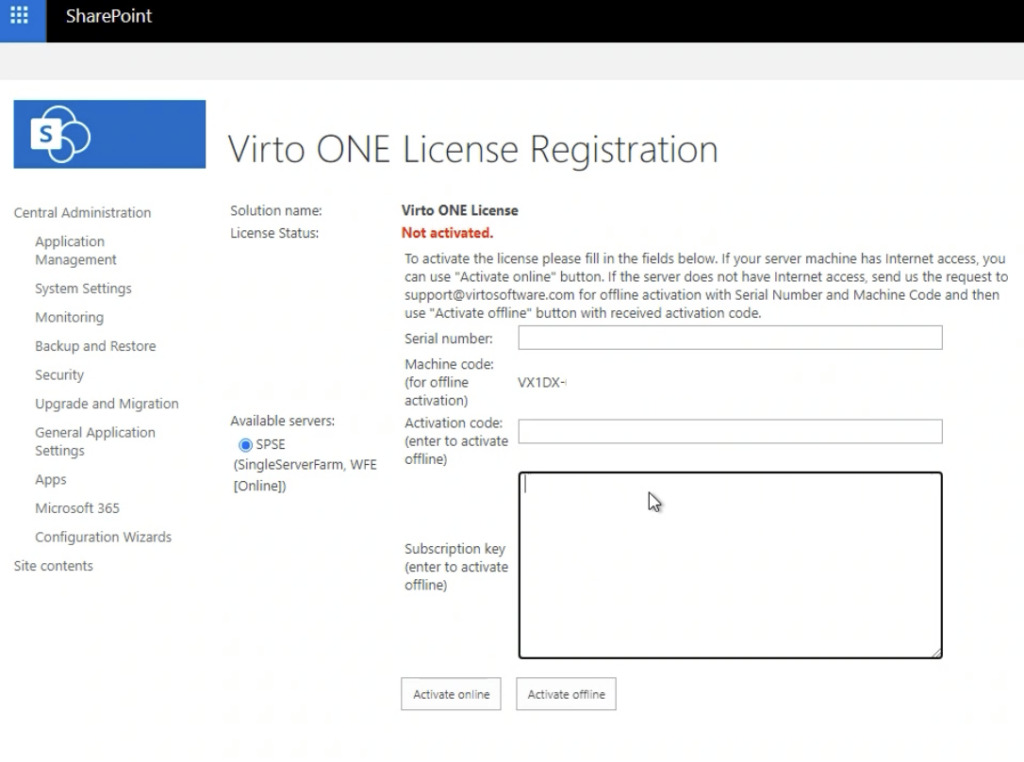
Once you have the necessary information, enter it and click Activate offline.
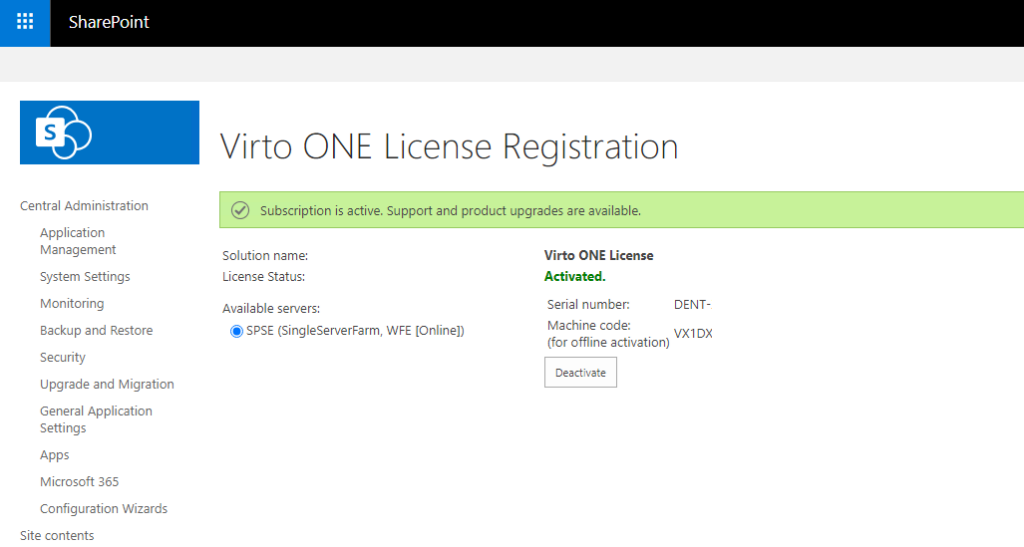
If everything is correct, you will see the message “Subscription is active” and the License Status will show as “Activated.”