
Virto License Manager
The License Manager is the tool used to activate licenses for VirtoSoftware components and to display the current subscription status of these components. It is included in the installation package for each VirtoSoftware product.
The documentation covers the following versions:
| Name | Version | SHA-256 |
|---|---|---|
| Virto Web License Manager for SharePoint 2013 | 3.1.13 | Not published |
| Virto Web License Manager for SharePoint 2016 | 3.2.6 | 55E508896B9A57E4C6D863E295552A3B2EBFD2006E1F51F756BEE6E817C3E91A 2016 checksum file |
| Virto Web License Manager for SharePoint 2019 | 3.2.6 | 01AA5B9EA833A7775985C21C9B4C20EA1EA039C0D0ACB294E6FBC3537737BCF4 2019 checksum file |
| Virto Web License Manager for SharePoint SE | 3.2.6 | 6D8421210D8F855AF20A88F15BA810D676DFA4DA92EB86B5C557A4FDEA68614C SE checksum file |
Download Licence Manager:
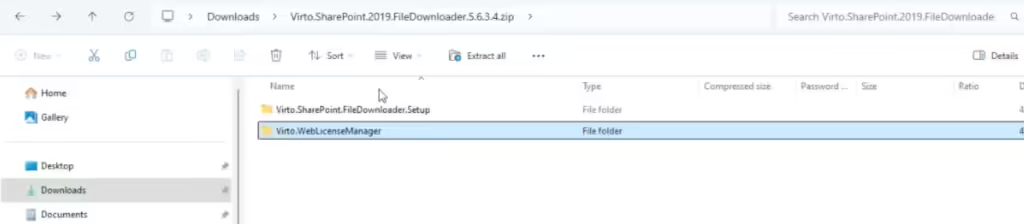
Typically, the License Manager does not require manual installation, as it is installed automatically with the product. However, it may need to be manually updated. To do this, navigate to the Virto.WebLicenseManager folder and follow the installation instructions.
If you have purchased multiple products, each must be activated separately. The activation process is the same for all components. If you have purchased a Virto ONE License, it only needs to be activated once.
If you have any questions about using or updating the License Manager, please contact our support team at support@virtosoftware.com or through this form.