
The Compact View
Note: Virto Mini Calendar is not included in the Virto Calendar 9 packages for SharePoint Server 2016, 2019 and Subscription Edition. Virto Calendar 10, delivered by the download links of the product from 19 November 2026, has a Virto Mini Calendar web part of its own, classic and modern, that shows the agenda of a chosen calendar. This page describes the earlier Virto Mini Calendar.
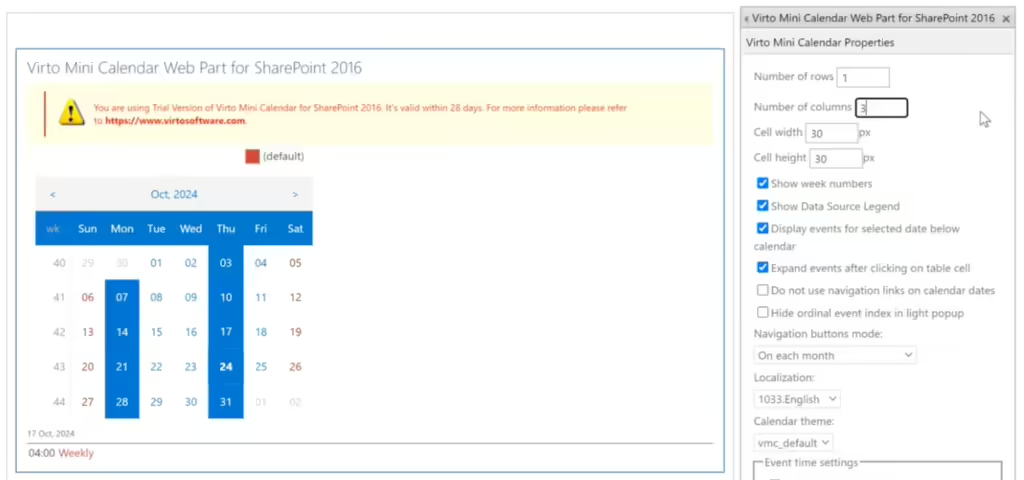
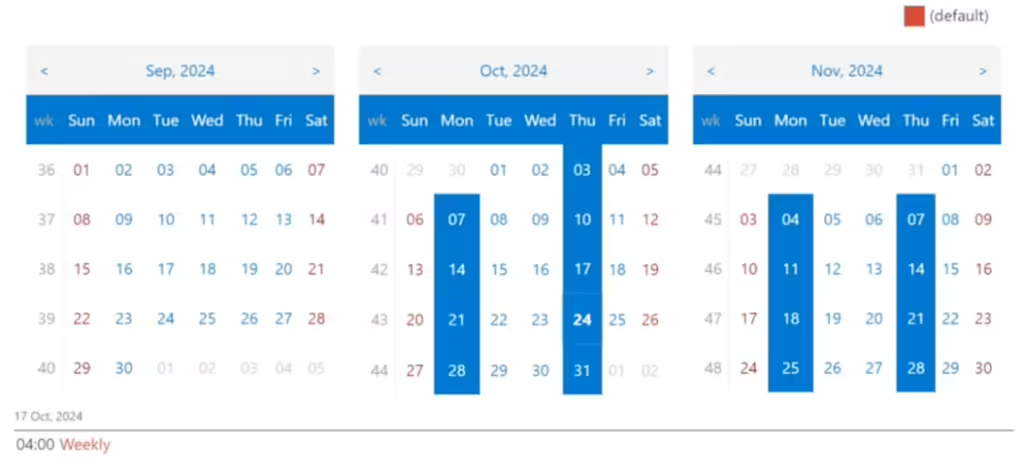
Its compact design seamlessly integrates the Virto Mini Calendar into your SharePoint site pages—just add it to the page as a regular web part. It is compatible with various SharePoint page templates and can be incorporated into pages featuring multiple columns. In our example, we set three columns in “Virto Mini Calendar Properties” settings, allowing you to view the month prior to the current month and the next month.
The Virto Mini Calendar web part of Virto Calendar 10 is described in Adding the web part.