
Recurring Events
In the Virto Calendar App, you can set up recurring events when using either a SharePoint calendar or Outlook calendar as a data source.
Suppose you have a Virto calendar that incorporates Outlook events. Navigate to it and create a new event. Then, open the drop-down menu to access the options for setting up recurring events.
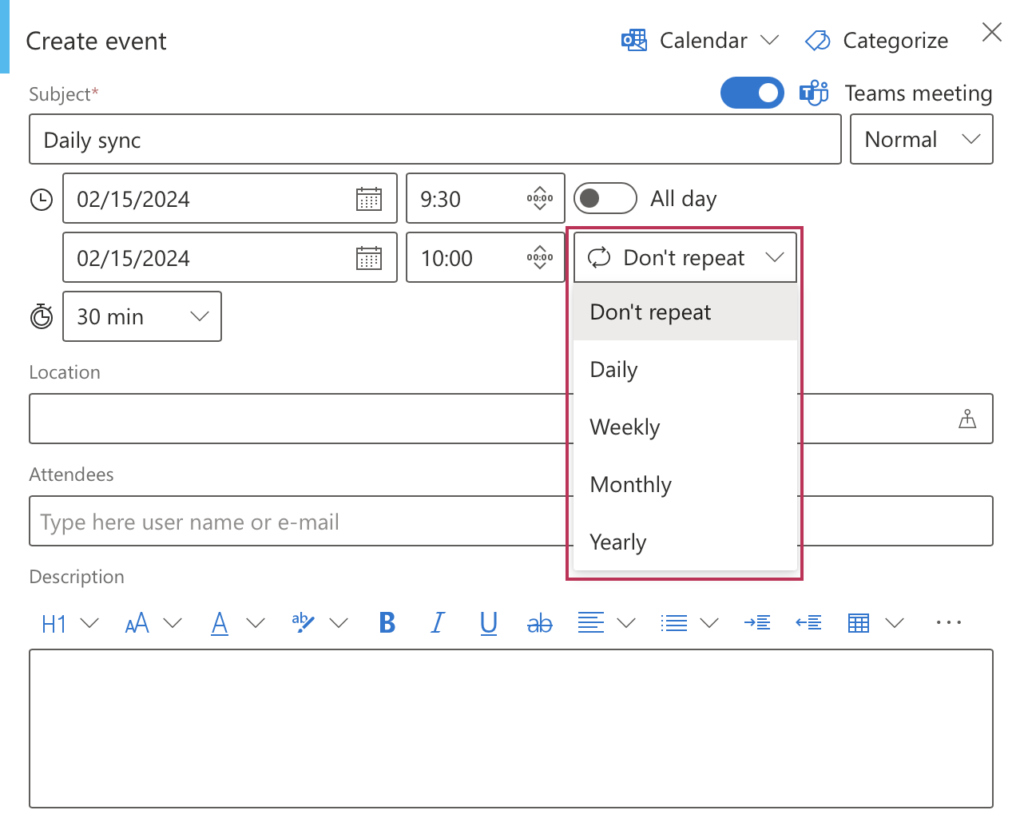
Use these settings to create events that recur daily, weekly, monthly, or yearly. You can specify whether they will occur on a particular date or weekday. Additionally, you can set an end date or determine the events to conclude after a certain number of occurrences.
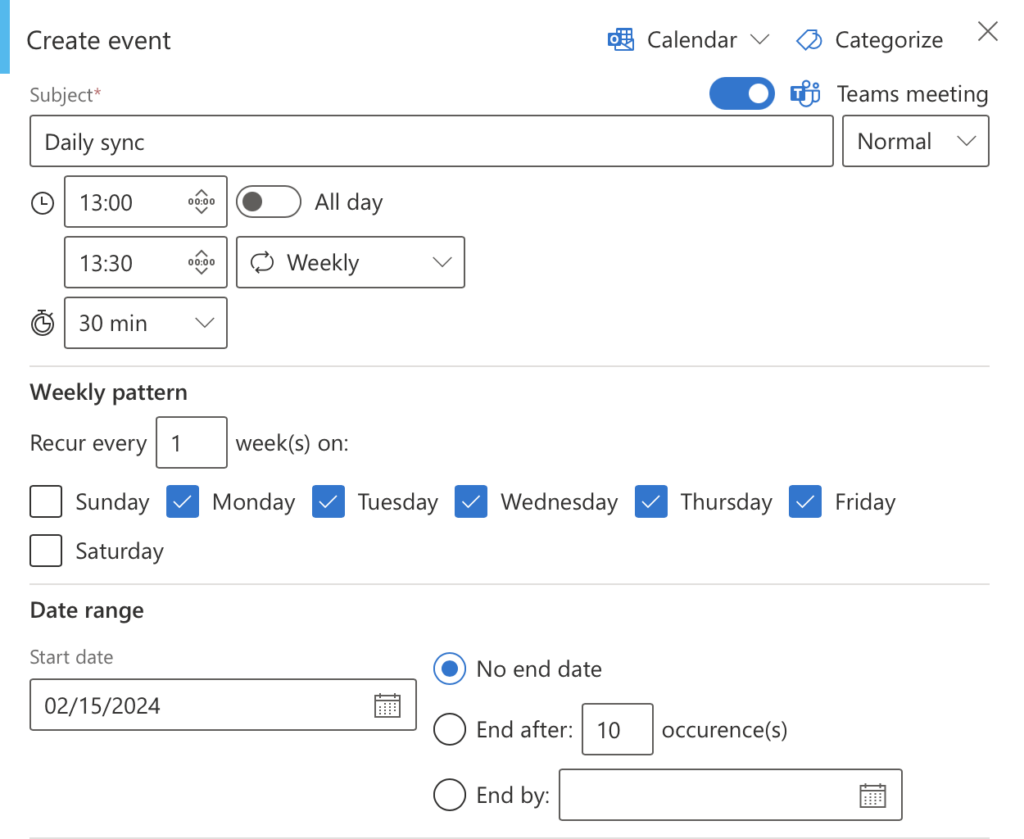
The result looks as follows:

It is also possible to save a single recurring event to your Outlook calendar. This is useful when you need to add a specific event from a series to your Outlook calendar. This action will generate an iCal file, as described in the “Add SharePoint Events to Outlook” section.