
Updating the App
The Virto Alerts App, formerly being the Add-in, has undergone significant changes. It now uses Azure for authorization, requiring users to grant permissions to the app and update it accordingly.
Authorization
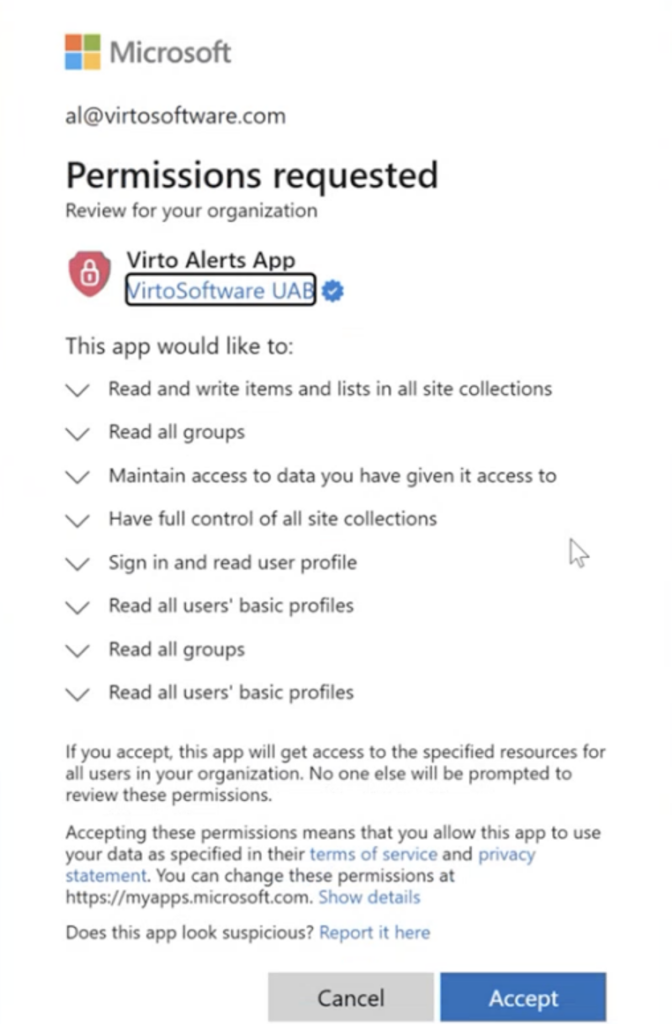
The app now uses Azure AD for authorization. You may need to grant additional permissions:
- Log in to Azure AD as a tenant administrator.
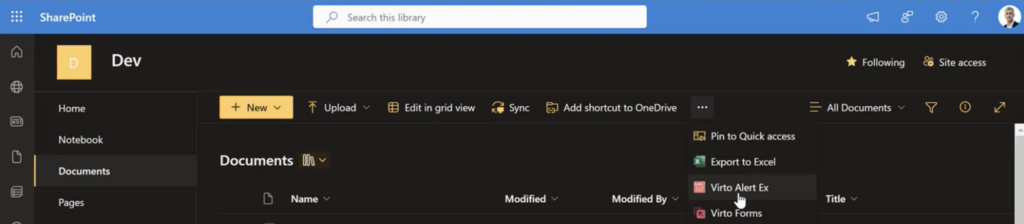
- Go to the SharePoint site -> Documents, where the Virto Alerts App is installed.
- Click on the ribbon and select “Virto Alerts”.
- Grant the required permissions for the Virto Alerts App to function properly.
Upgrade Process
- Open the documents in your SharePoint environment.
- Click on the ribbon and select “Virto Alert”.
- Click the “Upgrade” button.
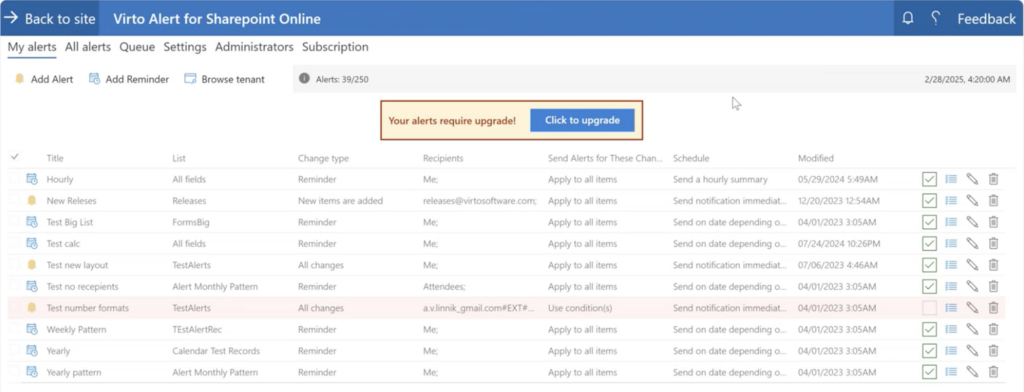
- Wait for a few minutes while the upgrade process completes.
Important: This upgrade process must be performed on every site collection where the app is installed.
Post-Upgrade Steps
After the update is complete, resave all existing reminders to ensure they are properly set and functioning with the new version.